
Appearance
CP Overview
On the CP page you can modify a couple of things.
Settings
Always select first shipping method
When you have multiple shipping methods that match the cart, the first one is selected when this setting is on. This is the same setting as Always select first shipping method in the settings of Reinos Store.
Note: in 1.3.0 this setting is shown here but not saved. Change it in the settings of Reinos Store, or of Store Shipping when that is installed.
Logging
Define what should be logged: only errors (default), everything or nothing. The logs can be found on the Logging page.
Locations
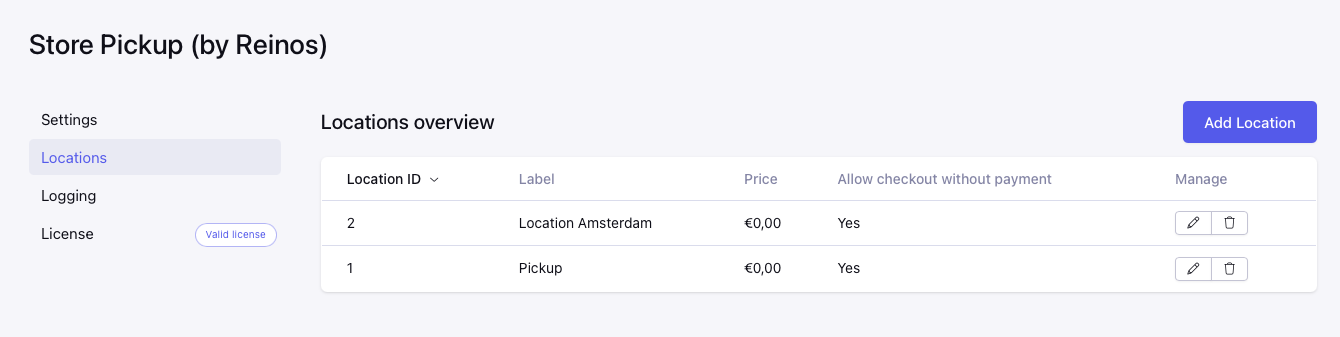
Here you can add, edit and delete your store pickup locations. Every location is shown as a shipping method during checkout, see How does it work.
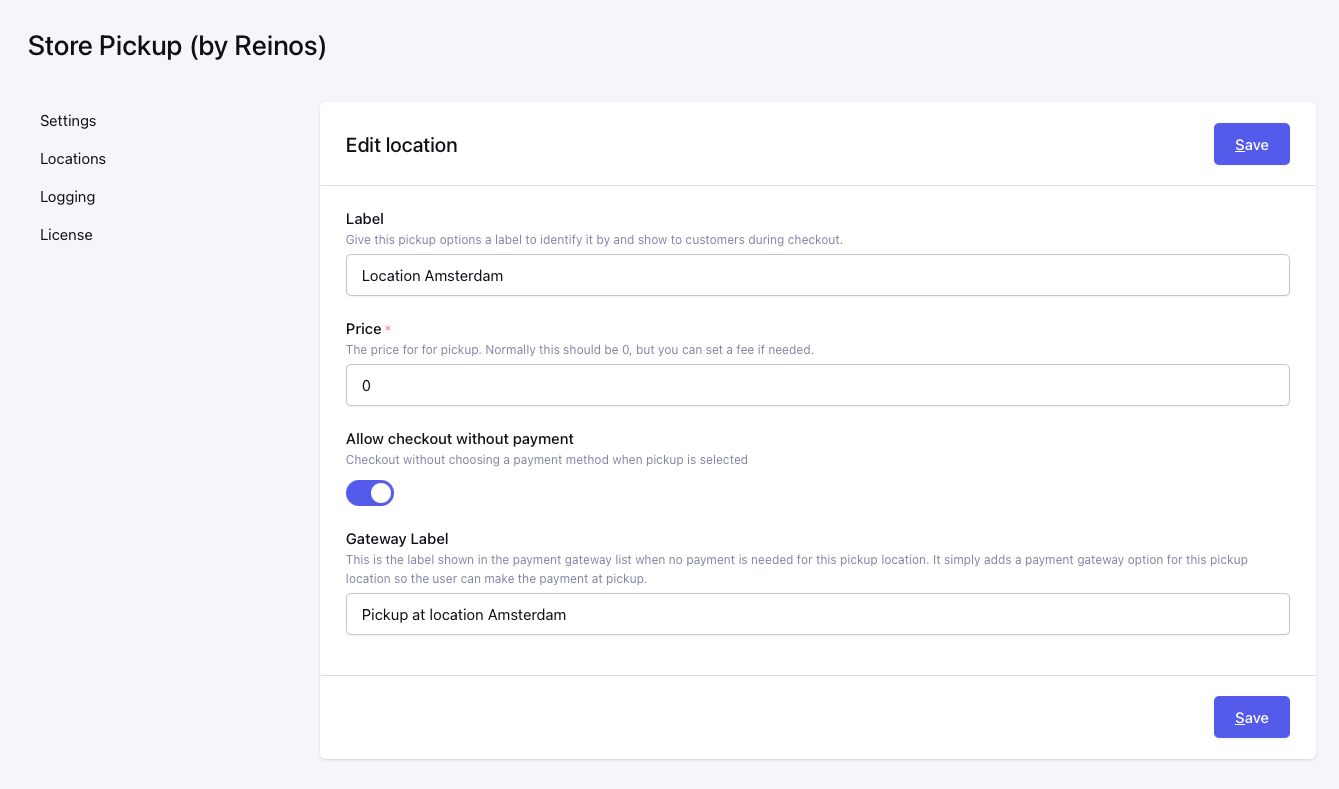
Label
Give this pickup option a label to identify it by and show to customers during checkout.
Price
The price for pickup. Normally this should be 0, but you can set a fee if needed. The tax on this price comes from the shipping tax of Store Tax; without Store Tax no tax is added. See How does it work.
Allow checkout without payment
Checkout without choosing a payment method when pickup is selected. This is on by default for a new location.
Gateway Label
This is the label shown in the payment gateway list when no payment is needed for this pickup location. It simply adds a payment gateway option for this pickup location so the user can make the payment at pickup. This field is only shown when Allow checkout without payment is on. The default label is pickup at location.
The Gateway Label is also stored as the shipping carrier of the order, so {order:shipping_method} shows it. Note: in 1.3.0 a changed Gateway Label is not saved, so the default label is always used.
Logs
The Logging page shows the logs of the module (severity, time and message). You can delete a single log or remove all of them with the Delete all logs button.