
Appearance
CP Overview
On the CP page you can modify a couple of things.
Settings
Order settings
Last order ID
This setting stores the ID of the last order. The next order will use this value plus one. You can change this value to start at a different number, but it cannot be lower than the current value. be aware that this will change the auto increment value in the database.
PDF settings
Logo
Set the logo that will be shown on the invoice PDF
Invoice Due Days
This setting set the number of days after which the order is considered overdue.
Invoice prefix
Set a prefix for your invoice numbers. e.g. INV-
Invoice footer
This content will be placed at the bottom of the document. All order tags are available, see the docs. e.g. {if is_paid}your text is the order has been paid{/if}
Order prefix
This setting sets the prefix for order numbers.
Order footer
This content will be placed at the bottom of the document. All order tags are available, see the docs. e.g. {if is_paid}your text is the order has been paid{/if}
Packing slip footer
This content will be placed at the bottom of the document. All order tags are available, see the docs. e.g. {if is_paid}your text is the order has been paid{/if}
Shipping settings
** The shipping settings are moved to the Shipping module when installed. **
Shipping Label
Set the label for the shipping option shown during checkout
Shipping Price
Default Shipping amount
Free shipping above
Free shipping above the x amount. If 0 is given, it will not calculate free shipping.
disable_shipping param
This setting will change the way how disable_shipping="yes" param is working. By default it will remove all shipping cost when one item in the cart has disable_shipping="yes". When setting this setting off, it will calculate only no shipping cost if all items have the param disable_shipping="yes"
Manage Shipping Status
Determine if you want to actively manage shipping status of orders. If you set this to yes, you can set the shipping status of an order to shipped or not shipped. This is mostly useful when you want to keep track of what is shipped and what not.
Tax settings
The tax settings are moved to the Tax module when installed.
High TAX percentage
TAX percentage (e.g. 21 for 21%)
Low TAX percentage
TAX percentage (e.g. 9 for 9%)
Shipping TAX percentage
TAX percentage for shipping (e.g. 21 for 21%)
Tax default rate
Set the default tax rate (high or low)
Tax Type
Determine how you entered the product prices. e.g. if you entered them without tax, select "exclusive"
Currency settings
Currency
Set the default currency
Currency placement
Set the placement of the currency symbol. e.g. €10,00 or 10,00€
Space between currency symbol and value
Render space between the currency symbol and the value
Space between currency symbol and value (for PDF)
Render space between the currency symbol and the value for just the PDF generation. Spaces in HTML can be different than in PDF, so you can set this separately. Mostly you want a space in PDF.
Decimal point
Set the decimal point value to format the price
Thousands separator
Set the thousands separator for your currency
Show decimals
Show or hide decimals in the price formatting
Email settings
Email from
The From address
Email from Name
The from name
BCC
Send the mail also to notification one or more addresses.
Email type
Send it as text or HTML
Store settings
Store Address
Set the store address incl your store name. This data will be printed on your invoices
State/Province required for countries
For which countries should we require the state field?
Cart settings
Clear cart after logged out
When a user logs out, should we clear the cart?
Clear carts after x days
After how many days should we clear abandoned carts?
Stats settings
Preferred Summary period
Set the preferred summary period for the stats overview page.
Preferred Chart period
Set the preferred chart period for the stats overview page.
Shipping price
Set the price for shipping
Tax settings
(high) TAX rate
Set the first (high) tax rate
(low) TAX rate
The second (low) tax rate
TAX default rate
Set the default rate
shipping TAX rate
The TAX rate for the shipping
TAX Type
Is the price of a product incl TAX or excl TAX or none?
Currency settings
Currency
Set the default currency
Decimal point
Set the decimal point value to format the price
Thousand separator
Set the thousand separator
Email settings
Email from
The From address
Email from Name
The from name
BCC
Send the mail also to notification one or more addresses.
Email type
Send it as text or HTML
Country settings
Default country
Set a default country
Allowed countries
Select the countries that are allowed for the shop
Store settings
This is the field where you can put your store info (can be HTML for formatting the data). This data will be printed in your invoices (top right)
State/province required for countries
Required the state/province for certain countries. For example, if you have enabled the TAX module and you are using the rules based on the state/province. This setting will become handy to set for the country states/province
Discount calculation
Make a sum of all discount of just the first.
If not enabled, it will pick the highest value.
Cart settings
Each cart item is a new item
Setting to control whether each item is added to the cart as a new entry or stacked (default).
Logging
What should we log?
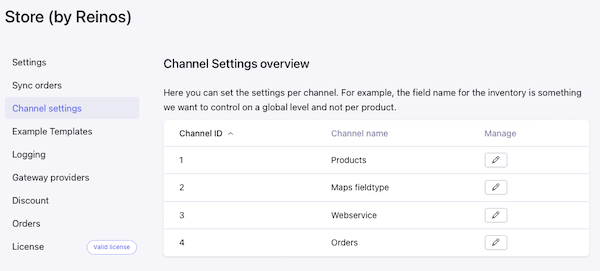
Channel settings
There are some settings that you can set on a global level. These settings sits here.
Enabled
By enabling, you set your channel as a product channel
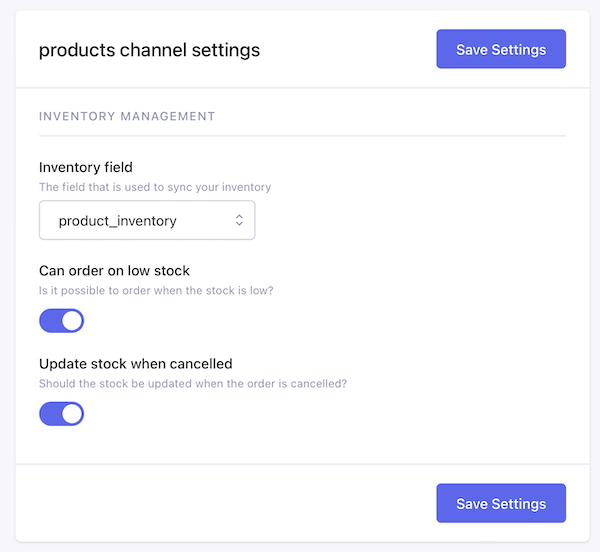
Inventory settings
In order to update your inventory, you should have at least a field that is of type text - number. Here you can select that field.
After you have selected that field, we are updating this field when an order is created. But also we update this field once an order is cancelled.
Cart settings
Each cart item is a new item
Each cart item is a new record in the cart instead of stacking up
Sync settings
Sync enabled
Disable or enable the sync of the order items.
Expiration date offset
Enter a offset in days for setting an expiration date when syncing the order item. This is usally used when your order item is a virtual product
Enable license key generation
Enable the generation of a license key when syncing the order item. This is usally used when your order item is a digital product and has a license key. The mapped field can be set in the sync settings for the order items.
Example Templates
The module comes with some default predefined templates that can be used for your shop. On this page you can install them.
Discount
Create a discount coupon or add a discount per member ID with a fixed amount or order percentage.
(Note: discount code can only be used one time)

Logging
This is where you can track all error logs
Orders
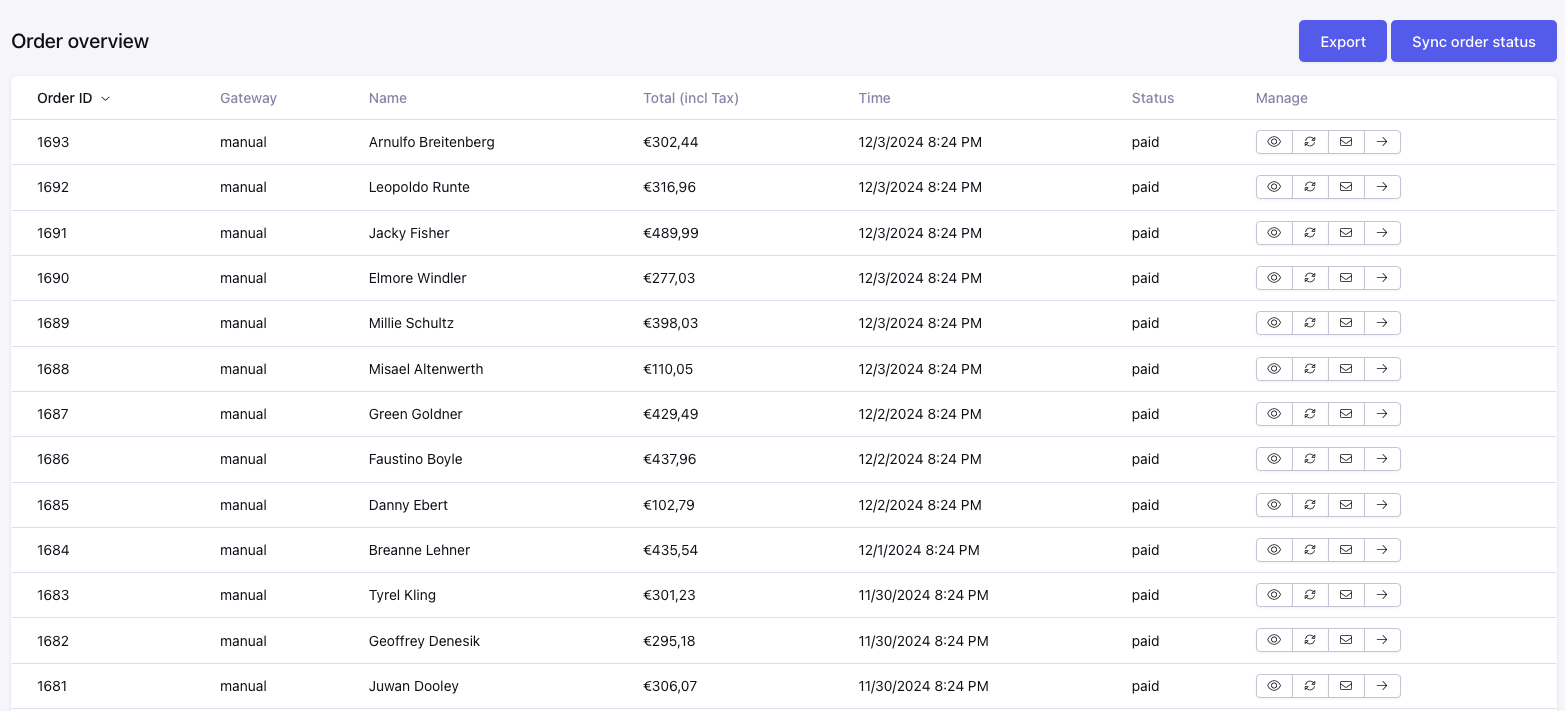
The order overview page. For the detail page we connect the url of your frontend to the order. If you did not set an order template (we suggest you do), it will show the details in a simple page.
License
Enter your license key to activate your module