
Appearance
Shortkeys
The shortkeys are designed to give easy access through a key, instead of a username and password.
WARNING
Before v10.0.0 shortkeys were typed in on the member page and stored as plain text. Since v10.0.0 they are generated and stored as a hash (Breaking change). Existing shortkeys keep working, but they can no longer be viewed in the CP.
Generate a shortkey
Shortkeys are generated on the edit page of the member, in the Credentials panel below the member settings. Available from v10.0.0
- Go to Members in the CP and edit the member
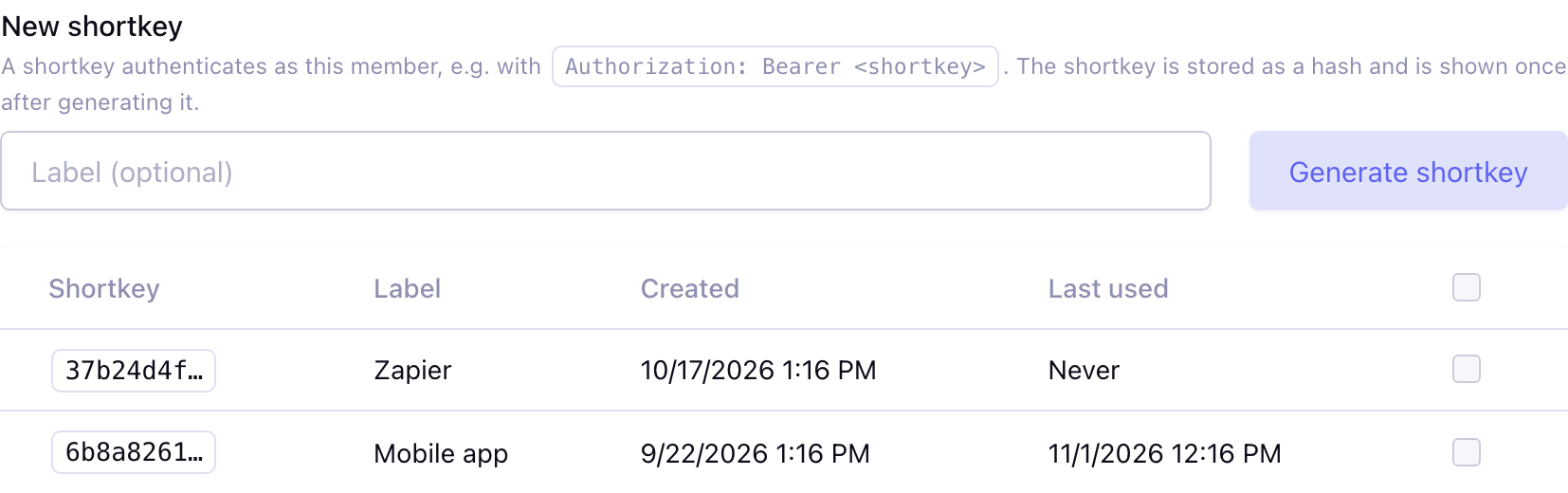
- Under New shortkey, give the shortkey an optional label, e.g. the name of the app that uses it
- Click Generate shortkey (or press enter in the label field)
- Copy the shortkey from the message at the top of the page
The shortkey is shown once: only a hash of it is stored, so it cannot be shown again. A member can have more than one shortkey, e.g. one per app, so a shortkey can be revoked without affecting the other apps.
Revoke a shortkey
The shortkeys of the member are listed below New shortkey, with the first characters of the shortkey, the label and when it was created and last used. Select one or more shortkeys, choose Revoke in the bulk action bar and confirm. A revoked shortkey stops working right away. Replace a lost or leaked shortkey by revoking it and generating a new one.
Shortkeys page
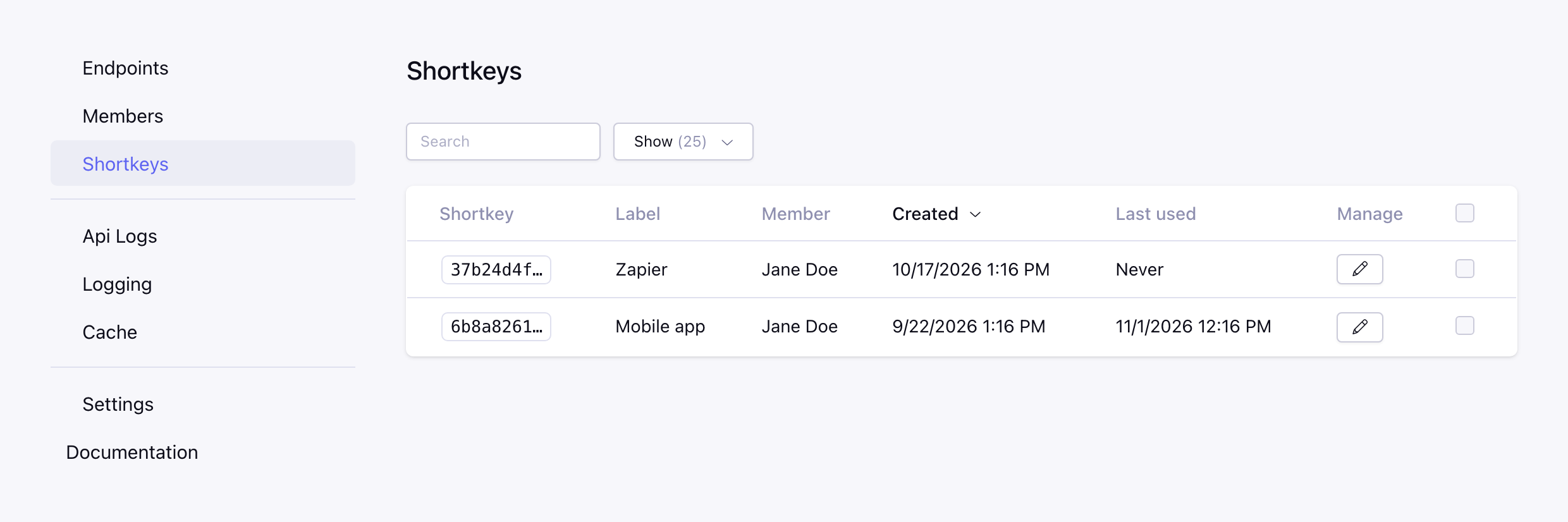
All shortkeys of all members can be found on the Shortkeys page in the CP, with the first characters of the shortkey, the label, the member and when it was created and last used. Search on the first characters or the label, sort on the columns and revoke shortkeys in bulk.
Use a shortkey
Send the shortkey via the Authorization header (Available from v10.0.0):
bash
curl -G 'https://your-domain.com/index.php/webservice/entry' \
  -H 'Authorization: Bearer testkey' \
  --data-urlencode 'data[entry_id]=1'
Or via the auth object:
https://your-domain.com/index.php/webservice/entry?auth[shortkey]=testkey&data[entry_id]=1
Super admin shortkey
The Super Admin shortkey in the settings logs in as the super admin and gives full access to the API. Be careful with it. Since v10.0.0 it is generated in the settings and shown once, only a hash of it is stored.