
Appearance
Responsive images
Available from v6.0.0
Images from the File Manager get everything a browser needs to load the right size, without changes to your templates. It uses the image manipulations of the upload directory (Files → upload directory → Image Manipulations), the same ones you can pick with Image size in the editor.
What happens on your site
When a Wyvern field is shown in a template, every image from the File Manager gets:
| Attribute | Value |
|---|---|
srcset | the image manipulations of its upload directory, plus the original, each with its width (400w) |
sizes | how wide the image is shown, see sizes |
width and height | when they are missing, so the browser keeps the room free while loading (no layout shift) |
loading="lazy" | the image loads when it comes into view |
decoding="async" | the image does not hold up the rest of the page |
For example, an image with the manipulations small (400 px wide) and medium (800 px wide), resized to 50% in the editor. Stored:
html
<figure class="image image_resized" style="width:50%;">
    <img src="{file:12:url}" width="1600" height="800" alt="Trail 500">
</figure>
On the site:
html
<figure class="image image_resized" style="width:50%;">
    <img src="https://example.com/images/uploads/trail-500.jpg" width="1600" height="800" alt="Trail 500"
         srcset="https://example.com/images/uploads/_small/trail-500.jpg 400w,
                 https://example.com/images/uploads/_medium/trail-500.jpg 800w,
                 https://example.com/images/uploads/trail-500.jpg 1600w"
         sizes="(max-width: 3200px) 50vw, 1600px" loading="lazy" decoding="async">
</figure>
A phone downloads the 400 px version, a large screen the original.
Which manipulations
Only manipulations that show the same picture, smaller:
- Constrain manipulations that are smaller than the original;
- Crop manipulations with exactly the same aspect ratio as the original (a crop to another ratio shows another picture);
- that exist on disk: manipulations made after the upload need a Sync of the upload directory.
SVG and GIF images are left out: they have no manipulations, and a resized GIF loses its animation. Images from other websites only get loading and decoding.
Which manipulations exist is remembered for a day per image (an hour when there were none), so a page with many images stays fast, also with files on S3 and the like. Clear the cache of ExpressionEngine after a Sync to see the new sizes right away.
sizes
sizes tells the browser how wide the image is shown, so it picks the smallest file that is sharp enough. Wyvern takes it from the editor:
| The image in the editor | sizes |
|---|---|
| resized to a percentage, e.g. 50% (of a 1600 px image) | (max-width: 3200px) 50vw, 1600px |
| resized to pixels, e.g. 300px | (max-width: 300px) 100vw, 300px |
not resized, width="1600" | (max-width: 1600px) 100vw, 1600px |
| no width known | 100vw |
In the editor
Image size in the image toolbar switches an image between the manipulations of its upload directory; the chosen one is the src, the srcset still offers all sizes.
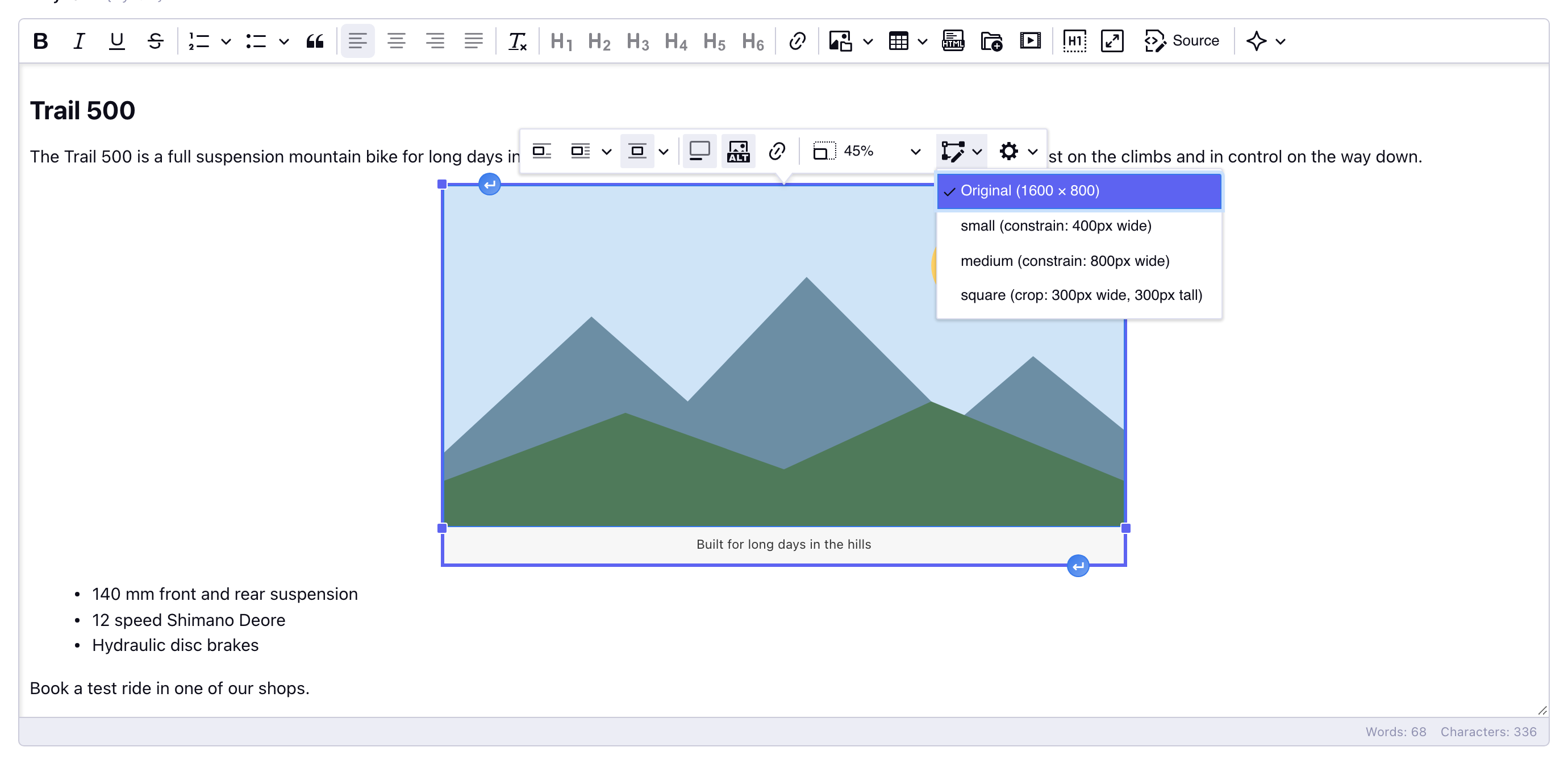
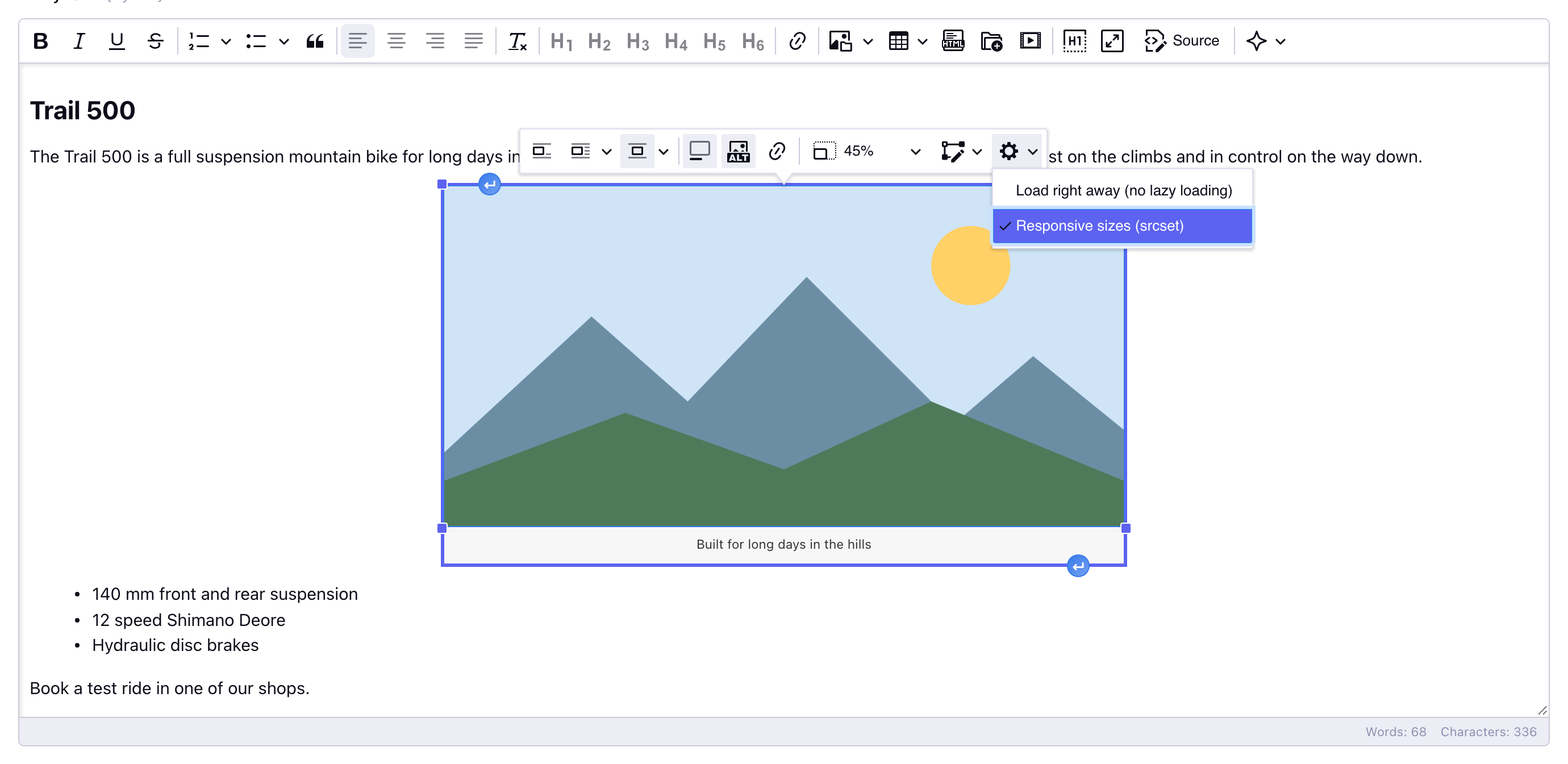
Image options (the cog) sets per image:
- Load right away (no lazy loading): stores
loading="eager", for an image at the top of the page that should not wait; - Responsive sizes (srcset): unchecked it stores
data-wyvern-responsive="no": the image gets nosrcsetandsizes(Wyvern removes that attribute from the output).
Turn it off
- For the whole site: the setting Responsive images (on by default).
- For a field in a template:
{field_name responsive="no"}, or{field_name loading="eager"}to load its images right away. - For one image: Image options in the editor.
Setting, tag and image together
The broader level decides first, the finer level only adjusts within it:
- The setting is the main switch for the site. Off: Wyvern adds nothing to images (it only removes
data-wyvern-responsive). - The tag parameters override it per field:
responsive="yes"orresponsive="no"both ways;loading="eager"leaves outloading="lazy"but still addssrcsetandsizes. - Image options adjust one image, when responsive images are on for the field.
| Setting | Tag responsive | Image options | Result |
|---|---|---|---|
| on | – | default | srcset, sizes, width/height, loading="lazy", decoding="async" |
| on | – | Load right away ✓ | the same, with loading="eager" |
| on | – | Responsive sizes ✗ | only loading="lazy" and decoding="async" |
| on | "no" | any | nothing added |
| off | – | any | nothing added (a stored loading="eager" stays) |
| off | "yes" | default | srcset, sizes, ... as with the setting on |
| on | – (tag loading="eager") | default | srcset, sizes, ... without loading="lazy" |
What you set yourself on an <img> (for example in Source) always wins: an existing srcset, sizes, width, height or loading is kept.
No srcset?
Set Logging to Everything in the settings: Wyvern then logs why an image gets no srcset, for example
Responsive images: no srcset for "trail-500.jpg" (file #12, 1600 × 800): medium (not found: /var/www/images/uploads/_medium/trail-500.jpg)- its upload directory has no image manipulations: add them to the upload directory;
- not found: the manipulation was added after the upload, run a Sync of the upload directory;
- not smaller or another aspect ratio: the manipulation is left out on purpose;
- the size of the image is not known: run a Sync of the upload directory.